
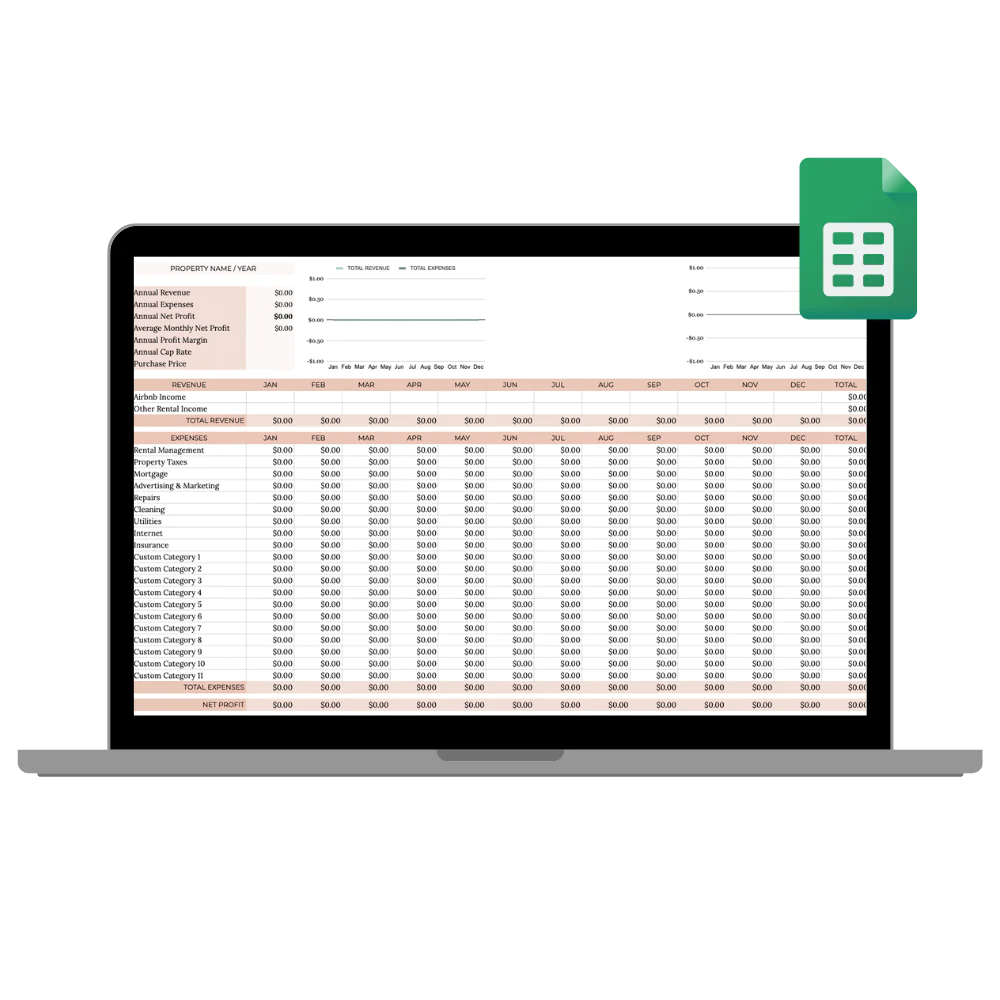
BnB Income & Expense Tracker
See exactly how your rental performs. This Google Sheets tracker turns income and expenses into clear numbers, net profit, cap rate and more, in USD or EUR, with step-by-step setup included.
Most hosts can quote their nightly rate; far fewer can say what the rental actually earned last month, after cleaning, commissions, utilities and that new mattress.
This BnB income and expense tracker turns your bookings into clear numbers in Google Sheets: what came in, what went out, net profit and cap rate, in USD or EUR.
What exactly you receive
A ready to use financial tracker, no formulas to build:
- The BnB Income & Expense Tracker for Google Sheets
- USD and EUR versions included
- Net profit and cap rate calculated automatically from what you enter
- Step by step setup instructions, so it works even if spreadsheets scare you
- Instant download PDF with your access link
- Lifetime access
You log every booking and every expense in one place; the sheet does the maths and shows you how the property really performs.
Who it is for
For hosts who want to run the rental like a business:
- Hosts whose rental money currently lives mixed into a personal account
- Hosts who want clean, ready numbers to hand to their accountant
- Owners weighing a second property, thanks to the cap rate view of the first one
If you already run dedicated accounting software for the property, you probably do not need it. And if you own the BnB Host's Toolkit, the tracker is already included, so do not buy it twice.
How it works
Buy and download
Pay securely through Stripe and receive an email within minutes with a PDF containing your access link.
Make your copy
Open the link, save your own copy to Google Drive and follow the included setup steps. A free Google account is all you need.
Log and learn
Enter bookings and expenses as they happen. The sheet turns them into net profit and cap rate automatically.
Why I built this tracker

Managing twelve villas in Azeitão for a concierge company meant reporting to owners every month, and 'it went well' is not a report. I built spreadsheets to know exactly what each house earned after every cost, and I kept refining them through the World Cup rentals in Qatar and my apartments in Casablanca today.
This tracker is that spreadsheet, cleaned up and documented so you can use it from day one. If you cannot say what your rental netted last month, it pays for itself with one look.
Frequently asked questions
Do I need Canva for this one?
No. The tracker runs in Google Sheets, so a free Google account is all you need. Your download PDF contains the access link and the setup steps.
Does it work in Excel?
It is built and tested for Google Sheets. Sheets can export to Excel formats, but to keep every automatic calculation intact we recommend using it in Google Sheets.
Which currencies are supported?
USD and EUR versions are both included. If you work in another currency, you can adapt the currency formatting in your own copy.
Do I need accounting knowledge?
No. You type what came in and what went out; the formulas handle the rest, including net profit and cap rate.
Is delivery really instant?
Yes. As soon as your payment is confirmed you receive an email with a secure download link. The link is time limited, so save your files when you open it.
Can I get a refund?
As with most digital products, the right of withdrawal is waived once the download starts, so we cannot refund downloaded files. See our refund policy for details.